
What Happens If Two Phones Have the Same IMEI Number?
Byadmin
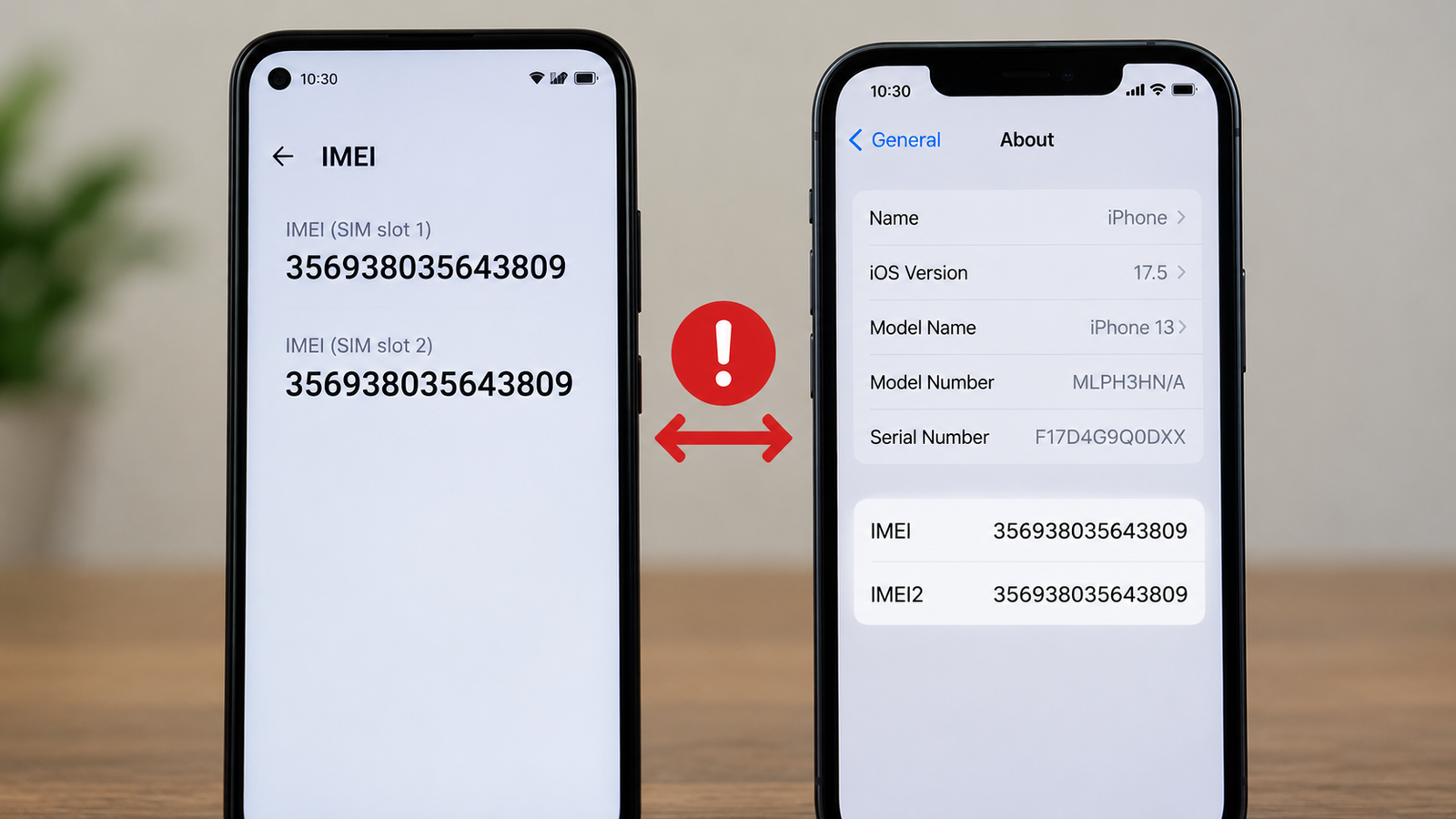
Imagine buying a new phone, inserting your SIM card, and discovering that it has unexpected network problems. Later, you learn that another device may be using the same IMEI number. Naturally, you may wonder whether your phone has a fake IMEI number and whether it can affect your mobile service.
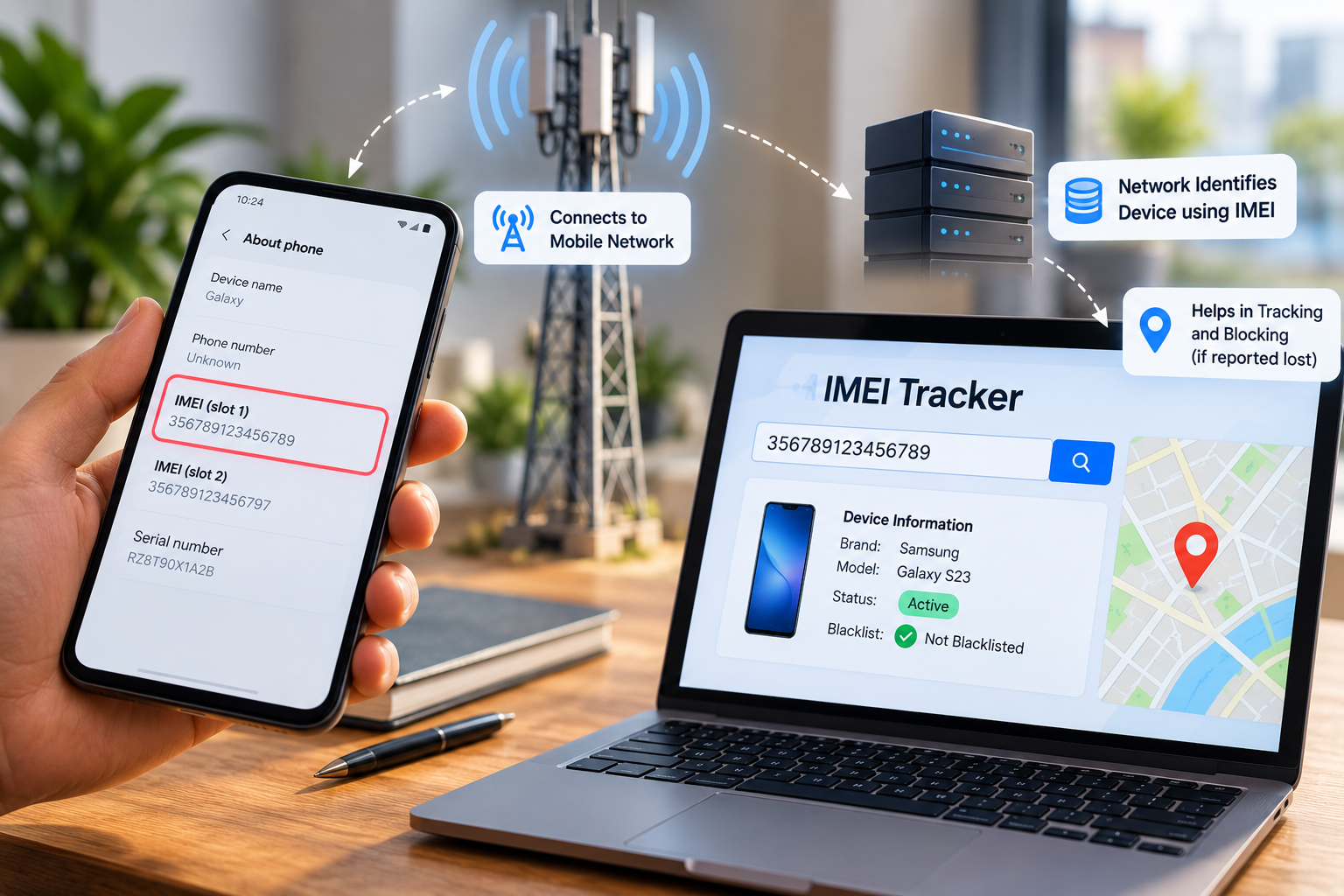
An IMEI, or International Mobile Equipment Identity, is a number used to identify mobile equipment on cellular networks. Most modern phones have a 15-digit IMEI for each supported cellular identity, although devices with multiple SIM capabilities may have more than one IMEI.
A duplicate IMEI does not automatically prove that your phone is counterfeit or that you have done something wrong. It can result from unauthorized IMEI cloning, improper modification, or an error involving a device's identity records. A simple mismatch between the phone, its packaging, and a database also deserves investigation before you draw conclusions.
Understanding the difference between a legitimate device identifier and a potentially cloned one can help you protect your phone, avoid unnecessary expenses, and contact the right support service. It also helps you understand what an IMEI tracker can actually verify and what it cannot establish.
Visit an Authorized Service Centre
If you suspect that your phone has a duplicate or altered IMEI, visiting an authorized service centre is a sensible next step. A qualified technician can inspect the device, compare its identifying information with the available documentation, and determine whether further investigation is necessary.
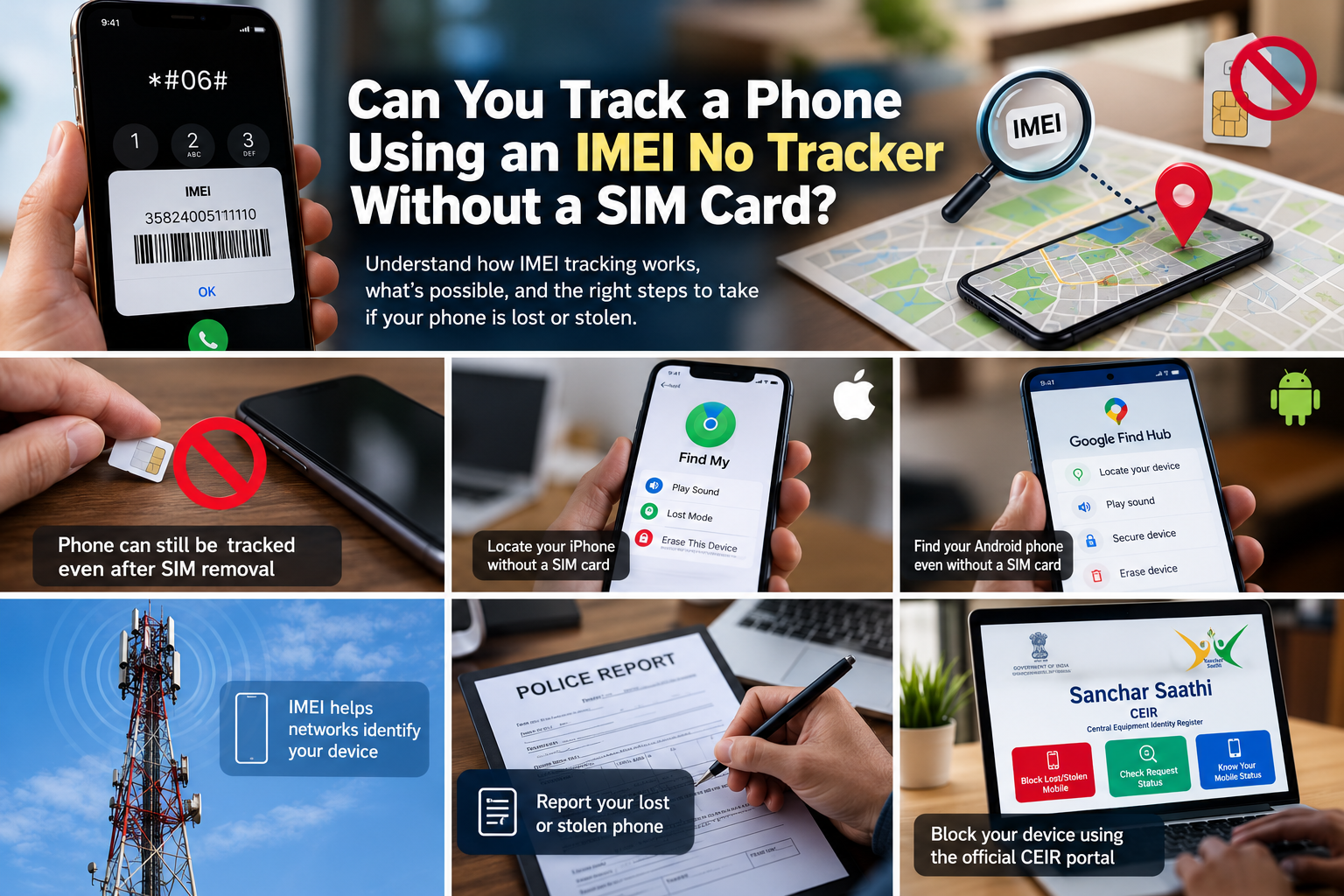
Start by checking the IMEI displayed in your phone's settings. On many compatible devices, you can also dial *#06# to display the IMEI information. Compare the number with your original purchase invoice and the device packaging, if available.
These comparisons are useful, but they are not conclusive proof of cloning. Packaging can be mismatched, a seller may have supplied incorrect documentation, and a database may contain incomplete information.
What Should You Carry to the Service Centre?
Before visiting, prepare the following:
Purchase invoice: Provides evidence of where and when you bought the phone.
Device packaging: May contain the original IMEI printed on the label.
Phone identification details: Record the model, serial number, and IMEI shown in the device settings.
Network error details: Note when the network problem started and whether it occurs with different SIM cards.
Warranty or service documents: Bring any relevant previous repair or warranty records.
Ask the technician to explain any mismatch and document the findings. If the device appears to have an unauthorized identifier modification, request guidance on the manufacturer's official repair or reporting process.
Do not attempt to change the IMEI yourself. Unauthorized modification may violate applicable laws or regulations, and it can make an existing problem more difficult to resolve.
How Can You Tell Whether an IMEI Is Suspicious?
There is no single symptom that conclusively proves an IMEI has been cloned. However, some observations justify further checks.
For example, suppose you purchase a used phone from a seller. The IMEI displayed in the device settings differs from the number on the original box, and your operator reports an equipment-identity issue. These findings together warrant investigation.
Other warning signs can include:
A service provider reports that the device identifier is blocked or associated with a different device.
The seller cannot provide a credible purchase invoice or explain inconsistent device information.
The phone develops network problems that the operator cannot explain through ordinary SIM, coverage, or account issues.
An official service centre identifies a discrepancy in the device's identifying records.
None of these signs alone proves that the phone has a fake IMEI number. Network failures can also result from a damaged antenna, an unsupported network band, a faulty SIM, poor coverage, or account restrictions.
Contact Your Mobile Network Operator
If your phone has network problems or you suspect that another device is using the same IMEI, contact your mobile operator. The operator can check your account, SIM status, network access, and any equipment-related restrictions it is able to investigate.
Explain the problem clearly. Instead of simply saying that your phone cannot connect, mention that you suspect a duplicate IMEI and provide the relevant device details through the operator's official support channel.
What Information Should You Provide?
Prepare the information that the operator needs to investigate the problem:
Your mobile number and SIM details.
Your phone's manufacturer and model.
The IMEI displayed in the phone's settings.
The purchase invoice, if available.
The exact network error or blocking message.
The date when the problem began and any relevant service complaint reference.
Never share your account passwords or one-time verification codes with someone claiming to investigate your IMEI. Use official customer support channels and follow the operator's identity-verification process.
Can the Operator Fix a Duplicate IMEI Problem?
The answer depends on what caused the problem. If the issue concerns a SIM, account restriction, or network configuration, the operator may be able to resolve it through its normal support process.
If the problem involves a duplicated or improperly assigned equipment identifier, the operator may need to investigate further or refer you to the device manufacturer or an authorized service centre. You should not assume that customer support can simply issue a new IMEI.
A genuine device's identifier should not be changed casually. Ask for the appropriate official procedure and retain your complaint reference so that you can follow up if the issue remains unresolved.
What If You Purchased a Phone With a Fake IMEI Number?
If the phone was purchased recently, contact the seller and explain the discrepancy. Keep copies of the invoice, payment receipt, product listing, and written communication.
If you suspect deliberate fraud, consider reporting it to the appropriate consumer protection or law enforcement authority. In India, you can also review the official Sanchar Saathi and CEIR portal for relevant lost or stolen device services and reporting guidance.
Do not attempt to solve the problem by purchasing an IMEI-changing service or installing unofficial software. Such services may be fraudulent and can create additional legal or technical problems.
Frequently Asked Questions
1. What is a fake IMEI number?
A fake IMEI number generally refers to an identifier that has been falsified, improperly altered, or used to misrepresent a mobile device. However, an unexpected IMEI mismatch does not automatically prove fraud. Verify the number using your device information, purchase documents, manufacturer support, or your mobile operator.
2. Can an IMEI tracker identify a cloned phone?
An IMEI tracker may provide device information or supported blacklist-status information, depending on its data sources and capabilities. It generally cannot independently prove which device is using an identifier or reveal a phone's live location. If you suspect cloning, seek verification from your operator or an authorized service centre.
3. Can I track an IMEI number if another phone uses the same identifier?
A duplicate identifier can complicate device identification because the number may no longer distinguish the devices reliably by itself. An ordinary user cannot resolve this simply by entering the number into a tracking website. Contact your operator and the device manufacturer, provide evidence of ownership, and follow the appropriate official investigation process.
Conclusion
A duplicate or cloned IMEI can create confusion about a phone's identity and may contribute to network access or identification problems. However, finding an unexpected identifier or experiencing network trouble is not enough to prove that your device has a fake IMEI number.
Start with simple verification: check the IMEI in your phone settings, compare it with your purchase records, and document any discrepancies. If the information remains inconsistent, visit an authorized service centre and contact your mobile operator for further investigation.
An IMEI tracker can be useful for supported device checks, but it should not replace professional verification or official reporting. Keep your purchase documents safe, avoid unofficial IMEI modification services, and use legitimate support channels to resolve the issue.
The goal is not simply to determine whether two phones share a number. It is to establish your device's identity reliably and resolve any network or ownership problem without creating additional risks.

Leave a Reply
Your email address will not be published. Comments are reviewed before they appear.