
How to Check an AT and T IMEI Number for Free in the USA
Byadmin
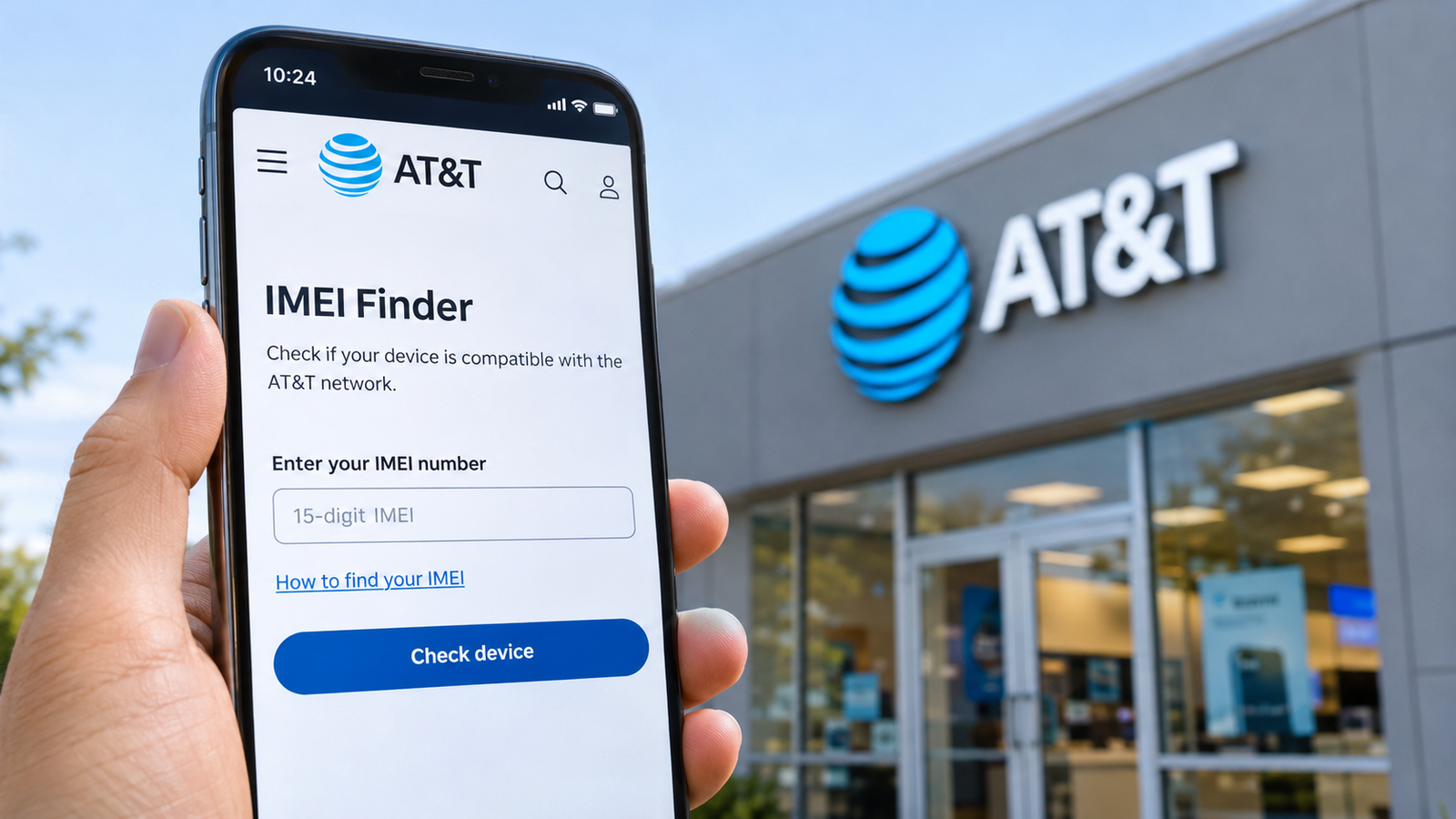
If you are planning to switch to AT&T, purchase a used smartphone, or activate a device on an existing wireless plan, checking its IMEI number is an important step. An AT&T IMEI check helps identify your phone and determine whether it can be activated on AT&T's wireless network. Whether you are searching for AT and T near me to get in-person assistance or purchasing a pre-owned iPhone or Android device from an online marketplace in the United States, verifying the IMEI can help you avoid unexpected activation issues.
Every cellular smartphone has an International Mobile Equipment Identity (IMEI), which is generally a 15-digit number used to identify the device. Wireless carriers use this identifier for device recognition, network management, and other device-related processes.
AT&T offers a free online IMEI Finder that allows users to enter their device information and check whether it can be activated on its network. The process is straightforward and does not require visiting a physical store.
In this guide, you will learn how to check an AT&T IMEI number for free, where to find your device's IMEI, how to understand activation eligibility, and what to do if the checking tool does not recognize your phone.
What Is an AT&T IMEI Number Check?
An AT&T IMEI number check is a device verification process that uses a phone's unique IMEI to identify the smartphone and help determine whether it can be activated on AT&T's wireless network.
The IMEI is different from your mobile phone number, SIM card number, or device serial number. It stays associated with the cellular device even when you change your SIM card or wireless carrier.
For example, imagine you purchased a used Samsung Galaxy or iPhone from a seller in New York. The device looks functional, but you are unsure whether it will work with your AT&T wireless plan. Before completing the purchase, you can use the phone's IMEI on AT&T's official website to check its device information and activation eligibility.
An IMEI check can be helpful when:
Purchasing a used or refurbished smartphone in the United States.
Switching from Verizon, T-Mobile, or another wireless carrier to AT&T.
Bringing your own unlocked phone to an AT&T plan.
Checking whether a device is compatible with AT&T's network.
Investigating a phone that cannot be activated.
It is important to understand that an IMEI check does not automatically verify every aspect of a phone's history. A device's network compatibility, carrier-lock status, reported lost or stolen status, and outstanding installment balance are separate matters.
For example, a phone may be technically compatible with AT&T but still be locked to another carrier. Similarly, a device may have a valid IMEI but be reported lost or stolen.
Understanding these differences can help you avoid problems when purchasing or activating a smartphone.
Open the Official AT&T IMEI Checker
The easiest way to check your device is through AT&T's official IMEI Finder.
AT&T provides this tool for people who are considering switching to its wireless network or bringing an existing smartphone to AT&T. The website asks for the device's IMEI and, when required, its EID to identify the device and determine whether it can be activated.
You do not need to visit an AT&T retail location just to use this online tool.
Before starting, make sure you have the correct IMEI number. Most modern smartphones have a 15-digit IMEI, while eSIM-compatible devices may also display an EID, which is a separate 32-digit identifier.
Step 1: Find Your Phone's IMEI Number
Before opening the AT&T IMEI Finder, locate the correct IMEI on your smartphone.
There are several ways to find it.
On an iPhone:
Open Settings.
Select General.
Tap About.
Scroll down to the IMEI section.
Copy the displayed number.
On an Android phone:
Open Settings.
Select About Phone.
Look for Status Information or IMEI Information.
Find the IMEI number and copy it.
Using the phone dialer:
Another simple method works on many cellular smartphones.
Open the phone dialer.
Enter *#06#.
Your device will display its IMEI information.
Write down or copy the 15-digit number.
You can also find the IMEI printed on the original retail box, near the barcode. Some phone models display it on the SIM tray.
If you have a dual-SIM smartphone, you may see IMEI 1 and IMEI 2. These identify separate cellular connections on the same device. Make sure you enter the appropriate IMEI requested by AT&T.
Step 2: Visit AT&T's Official IMEI Finder
Once you have the IMEI number, open the official AT&T IMEI Finder:
https://www.att.com/wireless/imei-finder/
Look for the device identification section on the page. You will see an input field requesting your phone's IMEI.
Make sure you are using the official att.com website rather than an unrelated website claiming to be an AT&T verification service.
The official tool is useful for people who already have a smartphone and want to check its suitability for AT&T before selecting a wireless plan.
Step 3: Enter Your IMEI Number
Enter the 15-digit IMEI into the provided field.
Before submitting the information, double-check the number to avoid typing errors.
Keep these points in mind:
Enter all 15 digits correctly.
Do not enter your phone's serial number instead of its IMEI.
Check whether your device has two IMEI numbers.
Provide the EID if AT&T requests it for eSIM identification.
Avoid sharing your complete IMEI publicly.
After entering the required information, follow the instructions displayed on AT&T's website.
Step 4: Check Your Phone's Activation Eligibility
After submitting the IMEI, review the information and instructions provided by AT&T.
The main purpose of this checking process is to identify the device and determine whether it can be activated on AT&T's wireless network.
This is particularly useful if you are bringing your own device (BYOD) instead of purchasing a new phone directly from AT&T.
For example, suppose you purchased an unlocked iPhone from a retailer or received a Samsung phone from a family member. You want to keep the device but switch your wireless service to AT&T.
In this situation, checking the IMEI before purchasing an AT&T plan can help you identify potential device eligibility problems.
However, activation eligibility and carrier unlocking are not the same thing. AT&T requires an eligible device to meet its unlocking requirements before it can be unlocked through its process.
You should also remember that network compatibility depends on the exact device model, not simply the manufacturer's name. Two versions of the same smartphone may support different cellular bands or network features.
This provides additional information about bringing an existing phone to AT&T.
Step 5: Review Your IMEI Checking Results
Once the checking process is complete, review the information displayed on the website.
Pay attention to whether AT&T recognizes your device and whether it can be activated on its network.
If your device is not eligible, do not immediately assume that it has been stolen or blacklisted.
There are several possible explanations:
The device model may not be supported.
The IMEI may have been entered incorrectly.
Phone may have carrier-lock restrictions.
The device may have account or installment-related restrictions.
Additional verification may be required by AT&T.
If you are purchasing a used smartphone, consider performing a separate lost or stolen device check through the CTIA Stolen Phone Checker.
Official website: https://stolenphonechecker.org/
This service is designed for US consumers checking previously owned wireless devices. Consumer access is limited to five free searches in a 24-hour period, and the service is intended for personal, non-commercial use within the United States.
A clean result does not guarantee that every possible activation, financial, or carrier-lock restriction has been resolved. Always verify those matters separately.
What to Do If Your IMEI Is Not Recognized
Sometimes, a user enters an IMEI into AT&T's official checking tool but does not receive the expected device information.
This can be frustrating, particularly when you have purchased a smartphone and want to activate it immediately. However, an unrecognized IMEI does not automatically mean the phone is permanently blocked.
Start by checking whether you entered the correct 15-digit number. If the information is accurate, consider the following possibilities.
1. Incorrect IMEI information
A missing digit or an incorrectly copied number can prevent the system from identifying your phone. Check the IMEI again using *#06# or your device settings.
2. Dual-SIM identification
If your smartphone supports two SIM connections, it may have two different IMEI numbers. Try the other IMEI if the first one does not return the expected result.
3. Unsupported device model
Some smartphones manufactured for international markets may not support all the network bands or technical requirements needed for AT&T service. Check your exact model number rather than relying only on the phone's brand or marketing name.
4. Carrier-lock restrictions
A phone locked to another wireless carrier may require an unlock before it can be used with AT&T. Contact the original carrier to confirm its unlocking requirements.
5. Outstanding installment restrictions
AT&T may restrict the use of a device linked to another AT&T account with an active installment plan. Its unpaid-device guidance explains that the original owner may need to pay off the installment balance or resolve the account restriction.
6. Additional verification required
If your device information is correct but AT&T still cannot identify it, contact AT&T support. The carrier can help investigate whether the issue is related to device recognition, compatibility, or activation eligibility.
If you need in-person assistance, search for AT&T near me using the official store locator:
https://www.att.com/stores/
You can search using your US city, state, or ZIP code to find nearby AT&T locations.
When contacting support or visiting a store, keep your device model, IMEI, and purchase information available. Do not publish your complete IMEI in public forums.
Frequently Asked Questions
1. Can I check an AT&T IMEI number for free in the USA?
Yes. AT&T provides a free online IMEI Finder. You can enter your device's IMEI to identify the phone and check whether it can be activated on AT&T's wireless network.
2. How many digits are in an AT&T IMEI number?
A standard IMEI contains 15 digits. It is a device identifier rather than a mobile phone number or SIM card number.
3. Can I check my AT&T IMEI without a SIM card?
Yes. You can generally find the IMEI without an active SIM card by dialing *#06#, opening your phone settings, or checking the original retail box. You can then use the AT&T online tool.
4. Does a clean IMEI mean my AT&T phone is unlocked?
No. A clean IMEI and an unlocked device are different things. A phone may not be reported lost or stolen but can still be locked to its original wireless carrier. Check its carrier-lock status separately.
5. Can I check if a used AT&T phone is stolen?
You can use the CTIA Stolen Phone Checker to check whether a previously owned device has been reported lost or stolen in the United States. However, recently reported devices may not immediately appear in the relevant database.
Conclusion
Checking an AT&T IMEI number before activating or purchasing a smartphone is a practical way to avoid unexpected device-related problems. Whether you are switching from another US carrier, purchasing a pre-owned iPhone, or bringing your own Android device to AT&T, the first step is to locate the correct 15-digit IMEI and use the carrier's official checking tool.
You can also use additional resources such as the CTIA Stolen Phone Checker to investigate whether a previously owned device has been reported lost or stolen.
If you want to explore additional IMEI-related information, an IMEI tracker such as TrackIMEI can be another resource to consider for supported device-identification information. However, remember that an IMEI lookup, carrier activation check, blacklist check, and live phone location service are different capabilities.
Before completing a used-phone purchase, verify the device's activation eligibility, carrier-lock status, reported lost or stolen status, and any relevant payment restrictions.
Taking these precautions can help you make a better-informed purchasing decision and avoid unnecessary activation problems when using a smartphone in the United States.


Leave a Reply
Your email address will not be published. Comments are reviewed before they appear.