
Samsung Find My Mobile Security Guide: How to Protect and Recover Lost Phones in 2026
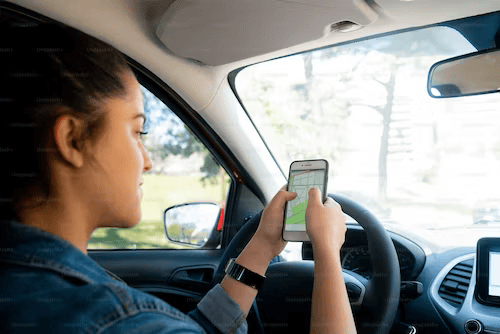
Smartphones have become one of the most important parts of modern life. People now use their phones not only for calls and messages but also for banking, online shopping, business communication, payments, social media, and storing personal memories. Because smartphones contain so much valuable information, losing one can instantly create stress and panic.
This is exactly why millions of users search online for Samsung find my mobile solutions whenever their device disappears.
According to cybersecurity reports, smartphone theft and accidental device loss continue increasing worldwide. Airports, cafes, shopping malls, taxis, railway stations, and offices remain among the most common places where users lose their devices.
Modern smartphones also contain highly sensitive data such as:
- Banking apps
- Password managers
- Work emails
- Identity documents
- Payment wallets
- Family photos
- Social media accounts
This makes device recovery and data protection more important than ever before.
Samsung created Find My Mobile to help users:
- Locate missing devices
- Ring smartphones remotely
- Lock devices instantly
- Backup important files
- Erase sensitive information remotely
- Monitor device locations securely
However, cybersecurity researchers have also highlighted that tracking systems themselves can sometimes become targets for attackers if users fail to follow proper security practices.
This guide explains how Samsung Find My Mobile works, how IMEI systems support device protection, how users can secure their accounts properly, and what practical steps improve smartphone recovery chances in 2026.
What Is Samsung Find My Mobile?
Samsung Find My Mobile is Samsung’s official device recovery and protection platform for Galaxy smartphones and tablets.
The service allows users to remotely manage and secure devices through their Samsung account.
Samsung Find My Mobile supports features including:
- GPS location tracking
- Offline device detection
- Remote device locking
- Remote data deletion
- Emergency contact display
- Device ringing
- Battery monitoring
- Remote backup
The platform combines several technologies to improve recovery success:
- GPS positioning
- Wi-Fi location detection
- Cloud synchronization
- Bluetooth communication
- Nearby Galaxy device support
Samsung’s Offline Finding feature is especially useful because nearby Samsung devices can anonymously help update the approximate location of lost smartphones even without active mobile data.
One traveler in Bengaluru recently recovered his Galaxy device after Samsung’s offline detection system updated the phone’s location inside an airport waiting lounge.
This demonstrates how useful modern recovery systems can be when configured correctly.
Understanding Samsung Security Concerns
Cybersecurity researchers occasionally discover vulnerabilities affecting mobile platforms and cloud services.
Several years ago, researchers reported vulnerabilities connected to Samsung Find My Mobile systems. Security experts explained that attackers could theoretically exploit certain weaknesses under very specific conditions.
Potential risks included:
- Remote device locking
- Forced device ringing
- Unauthorized remote actions
However, these scenarios generally required multiple conditions to happen simultaneously.
For example:
- The victim needed an active Samsung account
- Remote control features had to be enabled
- The user had to click malicious phishing links
- The attacker needed access to login session activity
Importantly, Samsung stated that user data itself remained protected and encrypted.
Cybersecurity researchers often emphasize that phishing attacks remain far more common than direct system exploitation.
This is why users should always avoid:
- Clicking suspicious links
- Downloading unknown apps
- Sharing passwords carelessly
- Logging into fake tracking websites
Modern smartphone security depends heavily on user awareness and good digital habits.
Why Smartphone Recovery Tools Matter Today
Smartphones now function as portable digital identities.
Most users rely on their phones for:
- Banking transactions
- Business communication
- Navigation
- Online shopping
- Entertainment
- Work documents
- Authentication apps
According to mobile industry research, more than 70% of users store sensitive financial or professional information on smartphones.
Losing access to a device can create both:
- Financial risks
- Privacy concerns
Samsung Find My Mobile helps reduce those risks through remote security tools.
Users can:
- Lock devices instantly
- Logout suspicious sessions
- Display contact information
- Erase sensitive data remotely
These features greatly improve device protection during emergencies.
How to Activate Samsung Find My Mobile
Many users forget to activate tracking systems before losing their phones.
Fortunately, setup only takes a few minutes.
Step 1: Open Settings
Go to your Samsung phone settings menu.
Step 2: Open Security and Privacy
Select:
- Security and Privacy
Step 3: Open Find My Mobile
Tap:
- Find My Mobile
Step 4: Sign Into Samsung Account
Login using your Samsung account credentials.
Step 5: Enable Important Features
Activate:
- Find My Mobile
- Offline Finding
- Send Last Location
- Remote Unlock
Experts strongly recommend enabling all recovery options immediately after purchasing a device.
Understanding IMEI Tracking Systems
Many users search online for imei tracker systems after losing devices.
IMEI stands for International Mobile Equipment Identity.
Every smartphone receives a unique IMEI number during manufacturing.
This number works like a permanent digital fingerprint attached directly to the hardware.
Telecom providers use IMEI systems to:
- Identify devices on networks
- Block stolen smartphones
- Verify ownership
- Prevent fraud
- Support investigations
Users can find their IMEI number by:
- Dialing *#06#
- Opening phone settings
- Checking the retail box
Unlike SIM cards, IMEI numbers remain permanently attached to the smartphone hardware.
Many websites falsely claim they can instantly provide live global tracking using only IMEI numbers.
In reality, official IMEI-based investigations usually require assistance from:
- Telecom providers
- Government agencies
- Law enforcement authorities
However, IMEI systems remain extremely important during theft investigations.
A police investigation in Hyderabad successfully recovered multiple stolen Samsung devices after suspicious IMEI activity appeared across telecom databases.
This demonstrates how official IMEI systems assist recovery operations.
Later during investigations, telecom systems may help track imei number activity after valid theft reports are filed.
Real-World Example of Smartphone Recovery
A marketing executive traveling in Delhi recently left his Samsung Galaxy device inside a rideshare vehicle late at night.
The device contained:
- Business presentations
- Banking apps
- Client records
- Personal photos
Fortunately, Samsung Find My Mobile was already activated.
Using another smartphone, he:
- Logged into his Samsung account
- Located the approximate GPS position
- Activated remote ringing
- Locked the device instantly
The driver later heard the ringing alert and returned the phone safely.
Without recovery systems enabled beforehand, the device could easily have disappeared permanently.
Benefits of Samsung Find My Mobile
Samsung’s recovery ecosystem offers several practical advantages.
Real-Time Device Tracking
Users can monitor approximate phone locations remotely.
Offline Device Detection
Nearby Galaxy devices help locate phones without active internet access.
Better Data Protection
Users can remotely:
- Lock screens
- Backup files
- Logout sessions
- Erase private information
Smart Battery Optimization
Samsung balances tracking accuracy with battery performance.
Improved Security Features
Modern Galaxy devices support:
- Fingerprint authentication
- Face recognition
- Two-factor authentication
- Remote account management
According to cybersecurity experts, enabling recovery systems significantly increases smartphone recovery chances.
Security and Privacy Tips
Strong security habits remain extremely important.
Experts recommend:
- Using strong passwords
- Enabling two-factor authentication
- Avoiding suspicious websites
- Updating Android software regularly
- Installing apps only from trusted sources
Weak passwords such as:
- 1234
- 0000
- Birth years
…should always be avoided.
Cybersecurity reports show phishing attacks targeting Samsung and Android users continue increasing globally.
Users should only trust official platforms such as:
- Samsung Find My Mobile
- Google Find My Device
Future Samsung Tracking Technology
Samsung continues investing heavily in AI-powered security systems.
Experts predict future Galaxy devices may include:
- AI theft detection
- Satellite recovery support
- Smarter offline mesh tracking
- Advanced biometric systems
- Automatic emergency locking
As smartphones increasingly function as digital wallets and identity systems, advanced protection tools will become even more important.
Samsung’s recent innovations show a growing focus on both:
- Device recovery
- User privacy
Practical Tips to Improve Recovery Chances
Experts recommend several simple habits for better smartphone safety.
Save Your IMEI Number
Store your IMEI number securely for emergencies.
Enable GPS and Offline Finding
These features improve recovery accuracy significantly.
Activate Google Find My Device
Using both Samsung and Google recovery systems improves overall protection.
Backup Important Files
Cloud backups reduce risks if devices cannot be recovered.
Use Biometric Security
Fingerprint and face unlock improve security protection.
These small habits can prevent major problems later.
Conclusion
Samsung Find My Mobile has become one of the most effective smartphone recovery systems available today. Combined with GPS technology, cloud synchronization, offline finding, and official imei tracker support systems, Samsung users now have better protection against smartphone theft and accidental loss.
Although vulnerabilities and phishing attacks occasionally target mobile users, most risks can be reduced significantly through proper security habits and awareness.
Users should also understand that official systems to track imei number activity usually require telecom or law enforcement support during investigations.
The best protection strategy always starts before emergencies happen. Activating Samsung Find My Mobile, enabling security features, saving IMEI records, and maintaining strong digital safety habits can greatly improve recovery chances.
In 2026, smartphones contain more personal, financial, and professional information than ever before. Taking mobile security seriously today can prevent major stress and losses tomorrow.
FAQ
What is Samsung Find My Mobile?
Samsung Find My Mobile is Samsung’s official recovery platform that helps users locate, secure, lock, and manage lost Galaxy devices remotely.
How to track imei number activity?
Official telecom providers and law enforcement agencies may help track imei number activity after valid theft or loss reports are filed.
Best way to use an imei tracker?
The best way to use imei tracker systems is through official Samsung security tools, telecom support, and authorized recovery services.


2 Comments
Ravi Shankar says:
November 16, 2020 at 4:43 am
Hello sir mera phone kho gaya hai
Ravi Shankar says:
November 16, 2020 at 4:43 am
Hello sir mera phone kho gaya hai
Leave a Reply
Your email address will not be published. Comments are reviewed before they appear.