

In today’s hyper-connected world, mobile security is no longer just a technical concern—it’s a personal responsibility. Your smartphone is more than a device; it’s your identity, your bank, your memories, and your daily companion.
A proper anti-theft and security setup ensures that your phone is protected both physically and digitally. It includes everything from enabling tracking systems to setting up strong authentication methods. When done correctly, it can significantly reduce the chances of unauthorized access.
Every tap, every login, every saved password creates a digital footprint. And where there’s value, there’s risk.
Phone theft is rising. Cyber threats are evolving. Hackers are getting smarter.But here’s the good news—you don’t need to be a tech expert to stay protected.With the right setup, awareness, and habits, you can build a strong shield around your device.
✨ “Your phone holds your world inside,
Guard it well, don’t let it slide.”
Let’s walk step-by-step through everything you need to secure your mobile life.
SIM Swap Attacks Explained
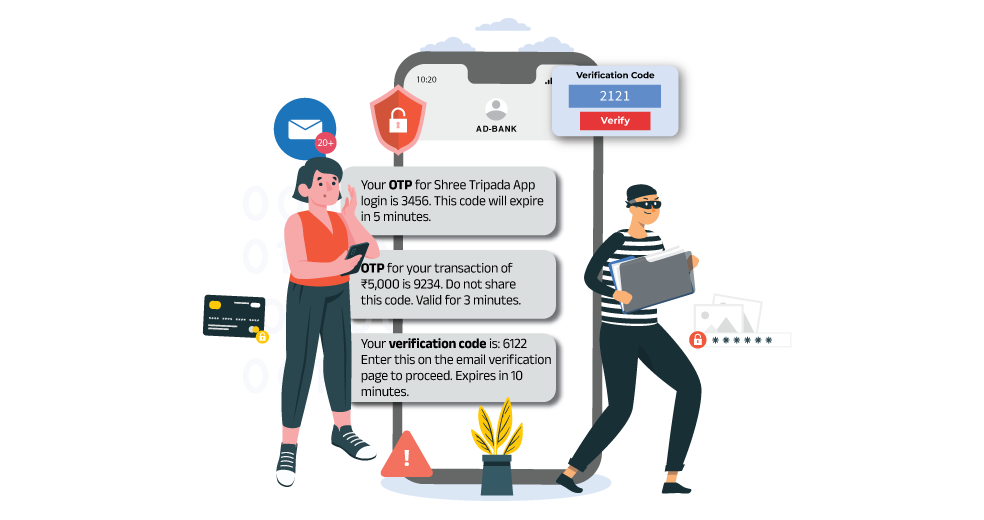
SIM swap attacks are silent, fast, and devastating. Unlike physical theft, you may not even realize it’s happening until it’s too late.
A hacker contacts your mobile provider, pretends to be you, and transfers your number to their SIM. Suddenly, your phone goes offline—and theirs comes alive with your identity.
How Attackers Exploit You
- They collect personal data from social media
- Use phishing emails or fake calls
- Trick carriers into SIM replacement
These attacks often start with data collection. Hackers gather personal information from social media, phishing emails, or leaked databases. Using this information, they impersonate you and convince the service provider to issue a replacement SIM.
Prevention Tips
- Set a carrier PIN
- Avoid oversharing online
- Use authenticator apps
Malware and Spyware Risks
Malware and spyware are among the most common threats to mobile devices. These malicious programs are designed to infiltrate your phone, monitor your activity, and steal sensitive information without your knowledge.
Malware doesn’t knock—it sneaks in quietly.
It can disguise itself as a harmless app, a free game, or even a system update. Once inside, it watches, records, and steals.
Common Entry Points
- Third-party apps
- Suspicious links
- Fake updates
Most users unknowingly install malware by downloading apps from untrusted sources or clicking on suspicious links. Once installed, these programs can access your contacts, messages, location, and even your camera or microphone.
How to Stay Safe
- Download apps from trusted stores
- Check app permissions
- Install security software
Essential Anti-Theft Features Every Smartphone Must Have
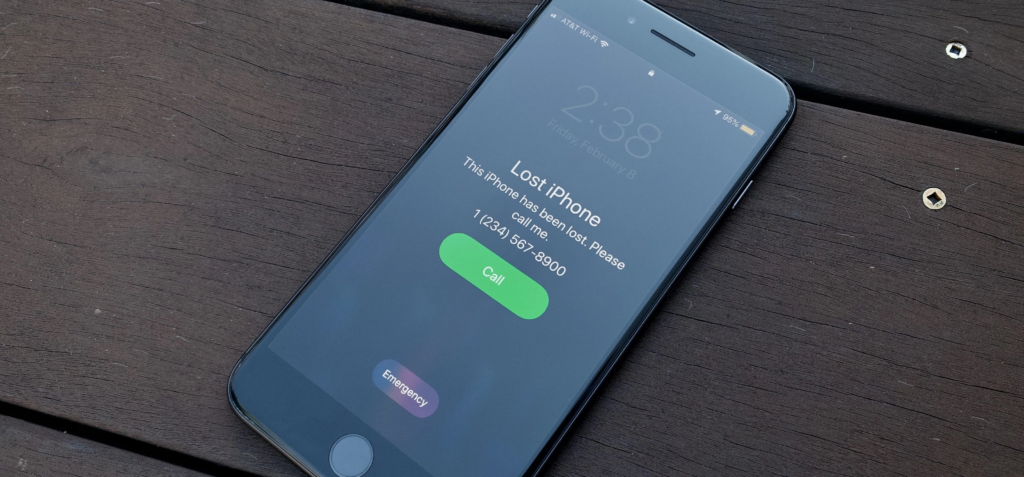
Modern smartphones are packed with powerful security tools—but most users barely scratch the surface.
Core Features You Should Enable
- Device tracking
- Remote lock
- Alarm trigger
- Data wipe
These features act like a digital security guard for your phone.
Why They Matter
- Immediate response to theft
- Prevent unauthorized access
- Increase recovery chances
Remote Lock and Data Wipe
Remote lock and data wipe features are critical components of mobile security. They provide a way to protect your data even if your phone is no longer in your possession.
When you activate remote lock, your phone becomes inaccessible to anyone who does not have your credentials. This prevents unauthorized users from accessing your apps, files, and personal information.
Enabling Device Tracking
Tracking is your first line of recovery.
Steps to Activate
- Enable location services
- Turn on tracking feature
- Connect to your account
Benefits
- Live location
- Ring device
- Lock remotely
You can also use an imei tracker as a backup when GPS tracking fails.
Setting Strong Passwords and Biometrics
Passwords are your first lock.
Strong Password Tips
- Use 12+ characters
- Mix symbols and numbers
- Avoid personal info
Biometric Protection
- Fingerprint
- Face unlock
✨ “A weak password opens the gate,
A strong one controls your fate.”
Ignoring Software Updates
Ignoring software updates is one of the most common mistakes users make. These updates often include important security patches that protect your device from new threats.
By delaying updates, you leave your phone vulnerable to known vulnerabilities that attackers can exploit. Keeping your device updated ensures that you have the latest protection available.
Biometric Advancements
Biometric technology continues to evolve, offering more secure and convenient ways to protect your device. Modern systems use advanced techniques such as 3D mapping and AI-based recognition to improve accuracy and security.
These advancements make it increasingly difficult for unauthorized users to bypass security measures, providing greater confidence in your device’s protection.
FAQs
1. What is the most important step in mobile security?
The most important step is enabling basic protections such as screen lock, biometric authentication, and device tracking. These features create the first line of defense against unauthorized access. Without them, your phone is highly vulnerable. Combining these with regular updates and cautious behavior ensures strong overall security.
2. Is mobile security necessary for everyone?
Yes, every smartphone user needs mobile security. Regardless of how you use your phone, it contains personal data that can be misused. Taking preventive steps ensures your information remains safe.
Conclusion
Mobile threats are real—but so is your ability to stay protected.
With the right mobile security setup, awareness, and tools like imei number tracker, you can turn your smartphone into a fortress.
Stay alert.
Stay updated.
✨ “In a world full of unseen threats,
Security is the shield no one regrets.”